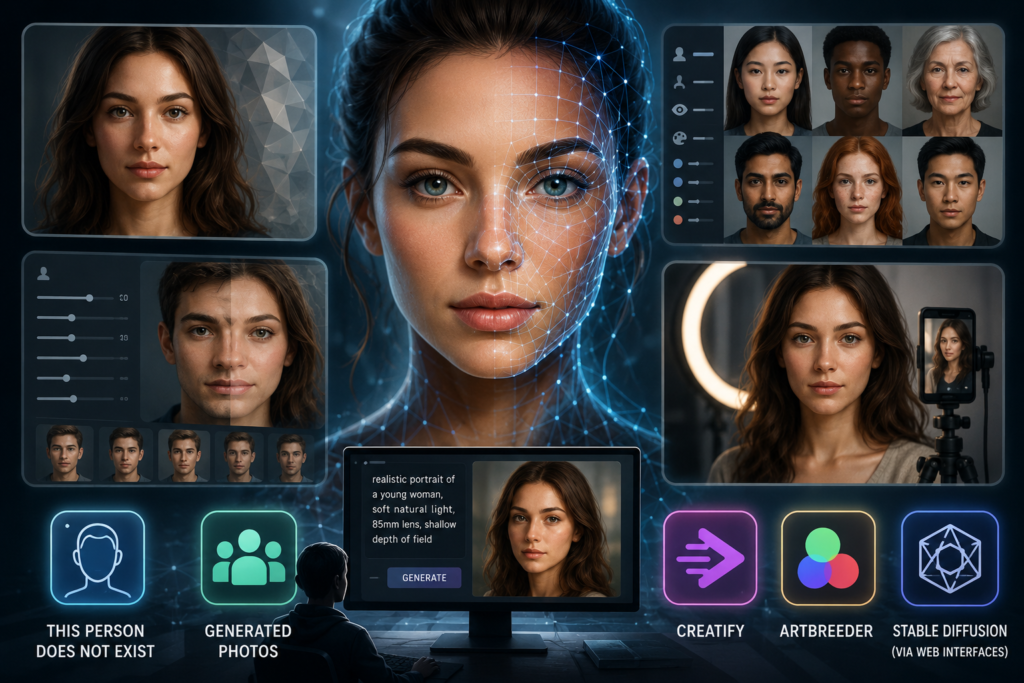
Five AI face generators are genuinely usable on a free tier right now: This Person Does Not Exist, Generated Photos, Artbreeder, Stable Diffusion (via free web interfaces), and Creatify. They differ less in image quality than in what you are legally allowed to do with the output, which is the part most people discover after they have already built something around a face.
The important distinction is between free to look at and free to use commercially. Several of these tools will hand you a photorealistic face in under ten seconds and then restrict that image to personal or non-commercial use unless you upgrade. If the face is going on a landing page, an ad, or a product mockup, the licence terms matter more than the render quality.
1. This Person Does Not Exist: The Fastest Zero-Friction Option
This Person Does Not Exist generates a single photorealistic face every time you refresh the page. No account, no prompt, no settings. It runs on a StyleGAN model and produces a 1024 by 1024 image that you save by right-clicking.
The appeal is speed. You need a placeholder face for a wireframe or a design mockup and you need it in four seconds. Nothing else in this list is faster, because everything else asks you to describe what you want first.
The limitation is total lack of control. You cannot specify age, ethnicity, expression, or lighting, so getting a specific look means refreshing thirty or forty times. Output also tends to carry the telltale GAN artefacts around ears, earrings, and hair edges, which are easy to miss on a phone screen and obvious at full resolution. Fine for internal comps. Risky for anything a customer will scrutinise.
2. Generated Photos: The Diversity and Metadata Play
Generated Photos runs a library of pre-rendered synthetic faces with structured filters for age bracket, ethnicity, hair colour, eye colour, emotion, and head pose. That filtering is the whole value proposition, because it turns face generation into a search problem rather than a lottery.
The free tier gives you low-resolution downloads (typically watermarked or size-capped) intended for testing, with paid access unlocking full-resolution commercial licences. Pricing historically starts in the range of a few dollars per image for one-offs and climbs into subscription territory for bulk API access. Anyone building a demo product with a hundred fake user profiles is going to end up on a paid plan.
Where it earns its place is in product design and UX research. If you are building a dating app prototype or a healthcare portal and need a realistic spread of faces across demographics, the filter set saves hours. It matters that these are synthetic rather than stock, since research on stock photography reuse has long shown the same faces circulating across competing brands, which undermines whatever authenticity the image was supposed to convey.
3. Creatify: Faces Built for Ad Creative
Creatify sits differently from the rest because it is built around marketing output rather than image generation as an end in itself. The face generator produces avatar-ready faces that plug into short-form video and ad creative rather than existing as standalone JPEGs.
That matters when the face is doing a job. A synthetic presenter in a paid social ad needs to look like a plausible customer, not a stock model, and needs to work at nine by sixteen on a phone screen. Being able to build AI-generated faces for your brand and then move directly into video production removes the step where you export a still, hand it to a separate tool, and hope the styling survives the transfer.
The free tier is limited in generation count, as with everything else here, and the paid plans are priced against marketing budgets rather than hobbyist budgets. For a solo creator making one image, this is overkill. For a small team producing weekly ad variants, the workflow integration is the reason to pick it over a general purpose generator.
4. Artbreeder: The Control Freak’s Choice
Artbreeder lets you blend and adjust faces by moving sliders across latent dimensions: age, gender presentation, expression, and dozens of more abstract parameters. You can also mix two existing faces and pull the result toward whichever parent you prefer.
The free tier allows a limited number of image generations and downloads per month, generally enough to produce a handful of finished characters. Resolution on free downloads is lower than paid, and paid tiers sit in the region of eight to thirty dollars monthly depending on generation volume.
This is the tool for people who need a consistent character rather than a one-off face. Novelists building character references, game designers, and anyone producing a series of assets featuring the same synthetic person will find the slider workflow worth the learning curve. It takes ten to twenty minutes to arrive at a face you actually wanted, which is slow compared to everything else here, and completely reasonable if the face is going to appear forty times.
5. Stable Diffusion via Free Web Interfaces: Maximum Flexibility, Maximum Effort
Stable Diffusion and its derivatives are open source, which means the base model costs nothing and various hosted interfaces offer free generation quotas. Prompt-based control gives you far more range than any slider set, since you are describing lighting, camera lens, styling, and background alongside the face itself.
Free quotas on hosted interfaces typically run in the range of twenty to a hundred generations a day before queueing or paywalls kick in. Running it locally is genuinely free but requires a GPU with at least eight gigabytes of VRAM and an afternoon of setup. Photorealistic faces also require a fine-tuned checkpoint rather than the base model, so expect a learning curve around which model produces which aesthetic.
The commercial licence is permissive on most checkpoints, which is a real advantage. The catch is consistency. Getting the same face twice takes seed control, and getting that face into a different pose usually needs additional tooling like ControlNet or an image-to-image workflow.
What Free Actually Costs You
Every tool on this list gates something. Usually it is resolution, sometimes it is commercial rights, occasionally it is generation volume, and increasingly it is the ability to download without a watermark. Read the licence page before the face becomes load-bearing in your project, because retrofitting a paid licence after launch is more expensive than paying for it upfront.
The consideration worth weighing hardest is disclosure. Regulatory attention on synthetic media has been tightening across several jurisdictions, and advertising standards bodies in multiple markets have started asking whether audiences can reasonably tell a generated person from a real one. Using a synthetic face in a product mockup is uncontroversial. Using one in a testimonial is a different question, and the answer is trending toward labelling rather than away from it. Decide now which side of that line your use case sits on, because moving it later means redoing the creative.






















2 Comments on "Top 5 AI Face Generators You Can Try for Free"
Would you like to share your thoughts?
Your email address will not be published. Required fields are marked *