
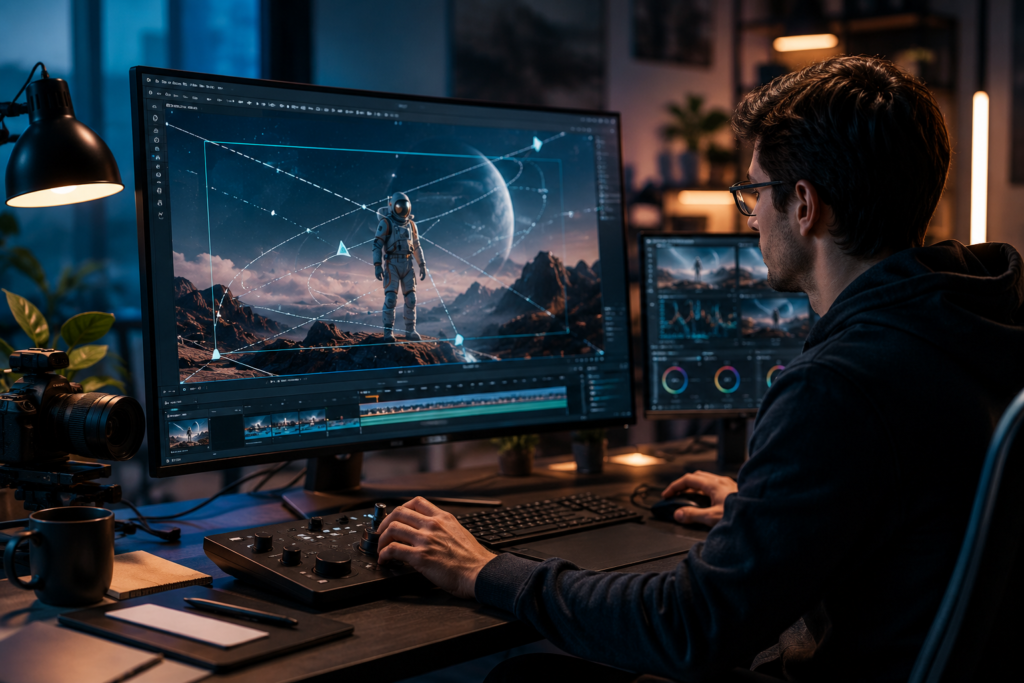
AI video generation has fundamentally changed how creators, marketers, and filmmakers bring ideas to life. What once required expensive equipment, large crews, and weeks of post-production can now be accomplished in minutes. But as AI video tools become more accessible, a new challenge has emerged: how do you make your AI-generated content stand out from the flood of generic, static clips that populate every platform?
The answer lies in motion control. Motion control for video AI is the capability that transforms a flat, lifeless clip into a dynamic, cinematic experience. It gives creators precise authority over how the virtual camera moves, how subjects are tracked, and how the visual narrative unfolds frame by frame. Whether you are a solo content creator building a YouTube channel, a social media marketer crafting scroll-stopping ads, or a filmmaker prototyping a scene, understanding and applying motion control is the skill that separates compelling video from forgettable content.
This guide breaks down what motion control is, why it matters, and how to use it effectively to elevate every video you produce with AI.
What Is Motion Control for Video AI?
Motion control in the context of AI video generation refers to the set of tools and parameters that govern how movement is expressed within a generated video clip. This includes camera movement — such as panning, tilting, zooming, and orbiting — as well as subject motion, object trajectories, and the overall kinetic energy of a scene. Unlike traditional video production where a physical camera operator executes these movements, AI motion control translates your creative intent into algorithmic instructions that shape the output.
At its core, motion control bridges the gap between a static image or text prompt and a fully realized moving scene. Without it, AI video generation tends to produce clips where elements move in unpredictable or generic ways, often lacking the intentionality that makes professional video feel purposeful. With motion control, you direct the experience — deciding whether the camera slowly pushes in on a subject to build tension, sweeps across a landscape to establish scale, or tracks a moving character to maintain focus.
Understanding Camera Movement in AI Video
Camera movement is one of the most powerful storytelling tools in any filmmaker’s arsenal, and AI video generation has made it accessible to everyone. The fundamental movements — pan (horizontal rotation), tilt (vertical rotation), zoom (focal length change), dolly (physical forward or backward movement), and orbit (circular movement around a subject) — each carry distinct emotional and narrative weight. A slow zoom in signals growing intensity or revelation. A wide pan establishes context and environment. An orbit creates a sense of grandeur or examination.
In AI video tools, these movements are typically controlled through directional parameters, speed settings, and intensity sliders. Understanding what each movement communicates to a viewer allows you to make deliberate choices rather than relying on default outputs.
Types of Motion Control Effects
Beyond basic camera movements, modern AI video platforms offer a range of motion effects that add depth and dynamism to generated content. These include subject tracking, where the camera follows a moving element within the frame; parallax effects, which create a sense of depth by moving foreground and background elements at different speeds; and stabilization controls that smooth out motion for a polished, professional look. Some platforms also offer preset motion styles — cinematic, documentary, action — that apply a curated combination of movements suited to specific content types. Knowing which effect to reach for in a given situation is a skill that develops quickly with practice.
Why Motion Control Elevates Your AI Videos
The difference between a video that holds attention and one that gets scrolled past often comes down to motion. Static or randomly generated movement feels mechanical and disconnected from the content’s intent. Intentional motion, on the other hand, guides the viewer’s eye, reinforces the emotional tone, and makes the content feel crafted rather than generated. This distinction is increasingly important as audiences grow more sophisticated and AI-generated content becomes more common across every platform.
For content creators, motion control is also a practical efficiency tool. Rather than spending hours in post-production adding camera movement effects or stabilizing shaky footage, you can define the motion at the generation stage. This means fewer revision cycles, faster turnaround, and more consistent results across a series of videos — a meaningful advantage for anyone producing content at scale.
The Role of Motion in Visual Storytelling
Every camera movement carries meaning. A slow push-in on a character’s face signals that something important is about to happen or that we should pay close attention to their reaction. A wide establishing shot with a gentle pan communicates scale and context. A handheld-style movement creates intimacy and realism. These are not arbitrary conventions — they are a visual language that audiences have internalized through decades of film and television.
When you apply motion control for video AI, you are tapping into this visual language deliberately. You are telling the viewer not just what to look at, but how to feel about it. This is what transforms a technically competent AI video into one that resonates emotionally and communicates a clear, intentional message.
Competitive Advantage for Content Creators
As AI video generation becomes mainstream, the barrier to creating decent-looking content drops to near zero. This means that technical quality alone is no longer a differentiator. What sets top creators apart is the intentionality and craft behind their content — and motion control is one of the clearest expressions of that craft. Creators who understand how to direct motion in their AI videos will consistently produce content that feels more professional, more engaging, and more aligned with their brand identity than those who rely on default outputs. In a crowded content landscape, that difference is what builds an audience.
How to Apply Motion Control in AI Video Generation
Getting started with motion control does not require a background in filmmaking. Most modern AI video platforms present motion control options in an intuitive interface, allowing you to select movement types, adjust speed and intensity, and preview results before committing to a final render. The key is developing a deliberate approach: before generating a clip, ask yourself what the motion should communicate and how it should serve the content’s purpose.
Choosing the Right Motion Type for Your Scene
The first decision in any motion control workflow is selecting the appropriate movement type for your scene. Consider the emotional tone you want to establish. For dramatic or tense moments, a slow zoom in or a subtle push forward builds anticipation. For action sequences, faster pans and tracking shots maintain energy and momentum. For product showcases or architectural content, an orbit or slow dolly creates a sense of examination and reveals detail progressively.
It also helps to think about the subject matter. If your video features a person speaking or reacting, keeping the camera relatively stable with minimal movement lets the performance carry the scene. If the video is landscape or environment-focused, more dynamic movement can reveal the scope and beauty of the setting. Matching motion type to content type is the foundation of effective motion control, and it is a judgment that becomes more intuitive the more you practice it.
Fine-Tuning Motion Parameters
Once you have selected a motion type, the next step is adjusting the parameters that control how that motion is executed. Speed is perhaps the most impactful parameter — slow motion feels contemplative and cinematic, while faster motion feels energetic and urgent. Intensity controls how pronounced the movement is, from barely perceptible to dramatically sweeping. Direction determines whether the camera moves toward or away from the subject, left or right, up or down.
A useful practice is to start with subtle settings and increase intensity gradually. Overly aggressive motion can feel disorienting and distract from the content itself. The goal is motion that the viewer feels rather than consciously notices — movement that enhances the experience without calling attention to itself. Kling AI offers granular control over these parameters, making it straightforward to dial in exactly the motion profile you need for each scene without requiring technical expertise.
Advanced Techniques for Cinematic AI Video Motion
Once you are comfortable with the fundamentals, there are several advanced techniques that can push your AI video motion to a more cinematic level. These approaches require a bit more planning and experimentation, but the results are noticeably more sophisticated and professional. They are also where your individual creative voice begins to emerge most clearly.
Combining Multiple Motion Effects
Some of the most compelling camera movements in professional filmmaking combine multiple types of motion simultaneously. A classic example is the dolly zoom — also known as the Vertigo effect — where the camera physically moves in one direction while the zoom moves in the opposite direction, creating a disorienting sense of spatial distortion. In AI video generation, you can achieve similar compound effects by layering motion parameters.
For instance, combining a slow forward push with a slight upward tilt creates a movement that feels both intimate and aspirational. Pairing a horizontal pan with a gradual zoom out reveals context progressively, drawing the viewer from a detail to the broader environment. Experimenting with combinations is one of the most effective ways to develop a distinctive visual style for your content, and it is an area where small adjustments can produce dramatically different results.
Syncing Motion with Audio and Narrative
Motion is most effective when it is synchronized with the other elements of your video — particularly audio and narrative structure. In music videos or content set to a soundtrack, aligning camera movements with beat drops, tempo changes, or musical phrases creates a satisfying sense of rhythm and cohesion. In narrative content, timing a push-in to coincide with a key story beat or revelation amplifies the emotional impact of that moment.
When planning your motion control settings, consider the audio track and story arc of your video. Map out where the key moments occur and design the motion to support those moments. This level of intentionality is what distinguishes content that feels produced from content that feels generated — and it is entirely achievable with the AI video motion control tools available today. Even a simple sync between a camera movement and a musical accent can elevate a clip from competent to genuinely memorable.
Bringing Your AI Videos to Life Through Motion
Motion control is not a feature reserved for professional filmmakers or high-budget productions. It is a fundamental creative tool that any video creator can and should be using to elevate their AI-generated content. By understanding the principles behind camera movement, choosing motion types that serve your content’s purpose, and fine-tuning parameters for the right feel, you can transform generic AI clips into videos that genuinely engage and resonate with your audience.
The gap between creators who produce forgettable AI video and those who produce compelling, shareable content increasingly comes down to intentionality — and motion control is one of the clearest ways to express that intentionality. Whether you are just starting out with AI video generation or looking to refine an established workflow, investing time in mastering motion control will pay dividends in every video you create. Start experimenting with different motion types, observe how they change the feel of your content, and develop the instincts that will make your creative decisions faster and more confident over time.

























3 Comments on "How Motion Control for Video AI Transforms Your Creative Workflow"
Would you like to share your thoughts?
Your email address will not be published. Required fields are marked *