Scrolling through Instagram, it’s easy to notice how far visual content has evolved. Flat smartphone shots are getting replaced by stylized, campaign-quality visuals, and a lot of those visuals start as an ordinary photo run through an AI image generator.
If you’ve got a photo you like but want it to look more polished, more artful, or just more interesting for your feed, AI image tools can do that in minutes. The trick is knowing how to use them well.
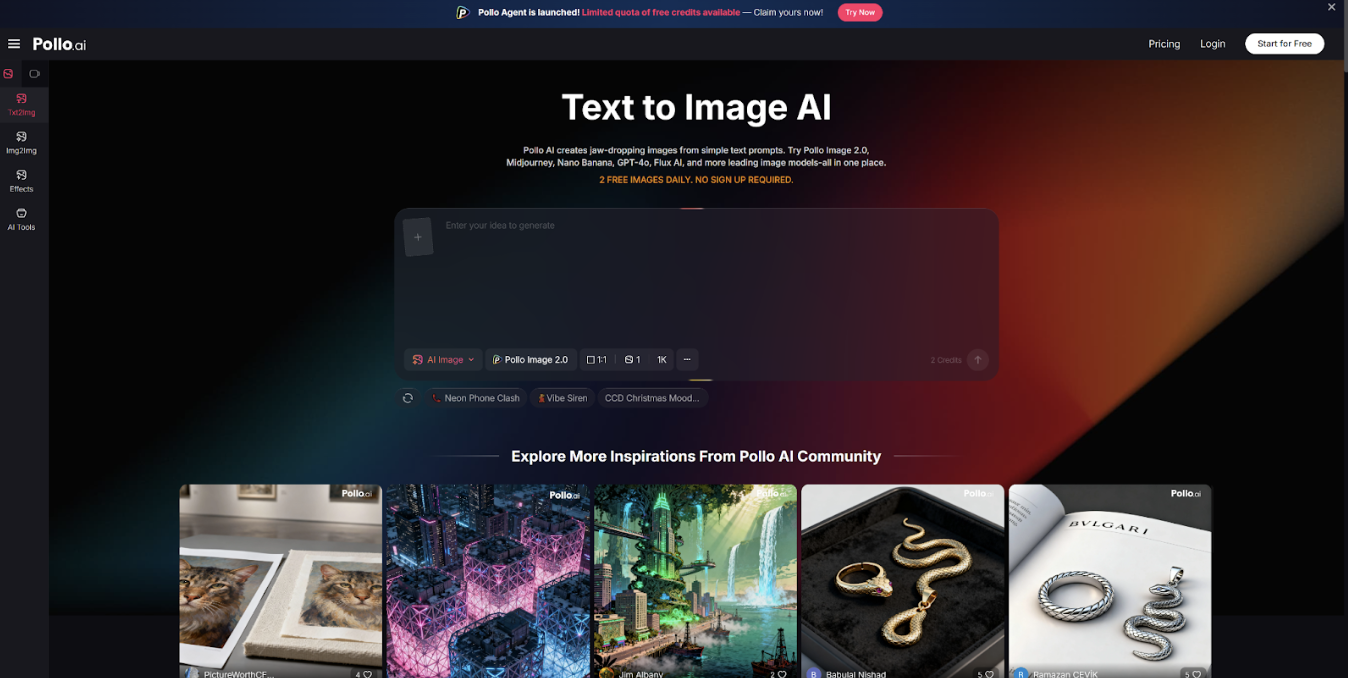
An AI image generator like Pollo AI makes photo-to-art experimentation fast and surprisingly intuitive — no design degree required.
Here are five practical ways to get the most out of the process.
1. Start With the Right Source Image
Not every photo makes an ideal starting point for AI art transformation. Here’s what tends to work best:
- Clear, well-lit subjects. If the photo is underexposed or cluttered, the AI has less to work with.
- Simple backgrounds. Complex or distracting backgrounds can muddy the final result.
- Defined focal points. Photos with a clear subject — a face, a product, a building — give the AI something to anchor the style around.
Portrait photos, product shots, and outdoor scenes with strong natural light all tend to generate strong AI art results. Random snapshots with poor framing or lots of noise are worth fixing first.
2. Use Style References Instead of Vague Adjectives
“Make it look cool” won’t get you anywhere. Specific style cues will.
When you’re prompting for a transformation, skip the vague language and be direct about the aesthetic:
- Cartoon / comic book: Good for social posts with personality
- Cinematic: Works well for portraits and moody editorial looks
- Line art / sketch: Clean and attention-grabbing, especially on Pinterest
- Editorial illustration: Sophisticated feel for lifestyle brands and blogs
The more precisely you describe the look you want, the closer the output will land. If you can name a specific art style or genre — Art Nouveau, Bauhaus, 90s anime — the model has more to go on.
3. Keep Identity While Changing the Look
One of the biggest pitfalls in photo-to-art transformation is losing what made the original image worth using in the first place.
If it’s a portrait, you probably want recognizable facial features to survive the style change. If it’s a product shot, the product itself needs to stay legible. A few ways to protect identity through transformation:
- State explicitly in your prompt that you want to “preserve facial structure” or “keep product shape accurate.”
- Avoid pushing too many style layers at once. Stacking “anime + watercolor + neon + glitch effect” will usually produce chaos, not character.
- Use a subtle transformation first — see what survives — then intensify the effect if needed.
Under-processing is easier to fix than over-processing.
If your primary goal is to seamlessly blend a specific person into a new artistic style or background without losing their realistic features, using a dedicated tool like Magic Hour AI face swap can help lock down that identity instantly.
4. Understand the Difference Between Workflow Types
There’s an important distinction in how AI image tools handle photo input:
- Text-only generation: You describe what you want, and the AI builds from scratch. Great for generating fully custom visuals.
- Image upload + transformation: You feed in a real photo, and the AI applies style or modifies elements. Good for retaining a core subject.
Tools built around Fotor AI are specifically designed for that second category — useful when preserving elements of an existing photo matters most.
Pollo AI is well-suited for users who want a generation-first approach: start with a strong visual concept from text, experiment quickly across styles, and use a real photo as a reference or inspiration layer rather than a locked-in starting point. Depending on what you’re making, you might prefer one workflow over the other — or switch between them.
5. Export for the Platform You Actually Use
Different platforms have different technical needs, and the best-looking image on your screen won’t always look the same once uploaded.
A few quick guidelines:
- Instagram feed: Square (1:1) or portrait (4:5) formats work best. Aim for 1080px on the shortest side.
- Pinterest: Vertical format (2:3 ratio) performs better for discovery. Taller images take up more feed space.
- Blog thumbnails: Wide landscape formats (16:9 or 3:2) work well; check what your CMS expects.
- Ad creatives: Follow the platform’s exact spec. Facebook and Google Ads both have strict size requirements.
Most AI generators output at a fixed resolution. Factor that into your workflow — export at the highest available resolution and resize only at the end, rather than trying to upscale a compressed export.
From Ordinary Photo to Useful Creative Asset
The gap between a phone photo and a campaign-quality visual is smaller than it used to be. The steps are: start with a clean image, pick a specific style, preserve what matters, choose the right workflow for your goal, and export to spec.
If you want to experiment across styles quickly, the AI image generator at Pollo AI is a practical place to start. Try a portrait, a product shot, or a personal photo — and see what a clear style prompt can do.
















14 Comments on "5 Best Ways to Turn a Photo Into AI Art for Social Media"
Would you like to share your thoughts?
Your email address will not be published. Required fields are marked *